Event badge printing, included.
Badge design, printing and registration are part of every Crowd event: conference badges and name badges from your live attendee list, batch runs the night before, on demand at the door. Your printers, your stock. Badge design and printing is one of ten things included in Crowd, the end-to-end technology for exhibitions, events and festivals.
- Included, for every event. badge design, badge printing, registration and check-in are part of your licence, for as many badges as you print.
- The badge is the ticket. every badge carries the same verified QR the scanner reads, printed from the live registration list, so the name on the lanyard is the person in the room.
- Batch or on demand. print the pre-registered thousands the night before, then print arrivals in about four seconds each at the desk or a kiosk.
 Badge printedAttendee · Desk 1 · 4 sBatch run2,140 badges · night beforeLanyards countedVerde Living · 3 of 4
Every payment settles directly to the organiser’s own Stripe account.





Design it once. Print it three thousand times.
Badge design, per type
Attendee, exhibitor, speaker, media: each ticket type carries its own template on the event’s branding, with the access-level colour band your door reads from three metres away.
Batch runs
Five scopes, print documents of 200 badges, every printed ticket stamped so a re-run never doubles your stock. Three thousand badges is one job.
On demand at the door
Scan the ticket and the badge prints beside the scan. A walk-up sale on tap to pay mints the ticket and prints the badge in one motion.
Badge printing
Per-ticket-type designs on the event’s own branding. What you see is what prints.
MODERN HOME EXPO
18–20 September 2026
Sarah Mitchell
Interior Designer · Studio South
Weekend Pass
EX-48211
Attendee
MODERN HOME EXPO
Harper Lane
Coastal Ceramics · Booth B04
Exhibitor
Exhibitor · 3-day bump-in pass
Kiosk self-badging
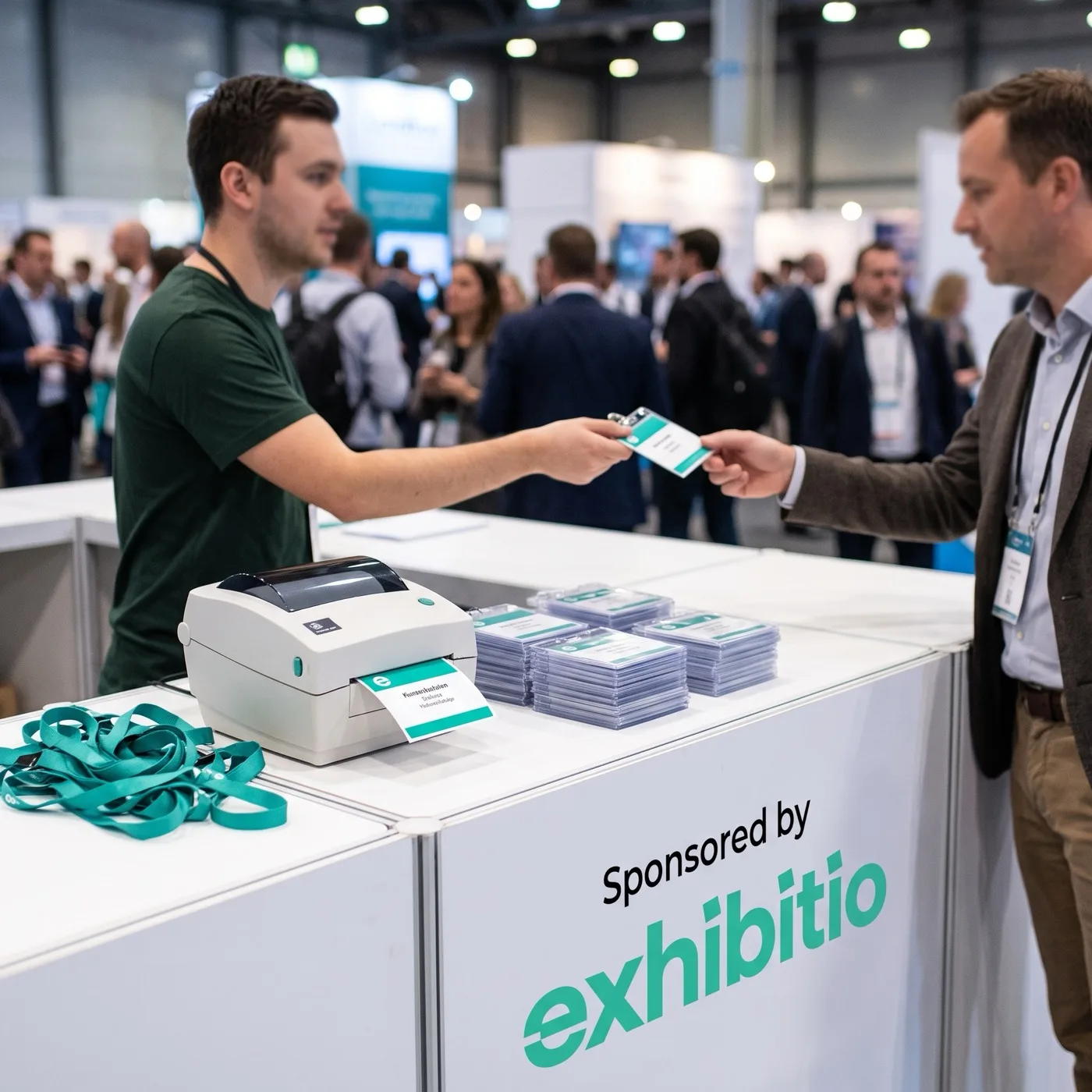
A tablet on a stand with a printer beside it. Attendees scan their own wallet ticket and collect their badge; your staffed desk handles exceptions, not the crowd.
Name badges from the list
The 62mm roll for name badges or the A6 conference badge on card stock, from the same live list, including names on forwarded tickets. No spreadsheet round trip.
An audit trail
Every print and reprint is stamped with who ran it and when. A lost badge is a ten-second reprint; a duplicated badge is impossible to miss.
- Unlimited
- badges, devices and print runs on the one licence
- 200
- badges per print document in a batch run
- ~4 s
- from scan to printed badge at the desk
Printers and badge stock are yours; the platform prints to them. Built-in setup guides cover the Brother QL, Zebra ZD, DYMO LabelWriter and Epson ColorWorks families.
From registration list to lanyard.
- Step 1
Pick your templates
One badge design per ticket type, on your event’s branding. A test print from the designer checks alignment before you commit a roll of stock.
- Step 2
Pair the printers
A label printer per desk: 62mm roll for name badges, A6 card for conference badges, colour if you run the Epson. Ten minutes, once, with the built-in guides.
- Step 3
Run the night-before batch
Print the pre-registered badges in one job, in documents of 200. Every printed ticket is stamped, so the desk knows who already holds one.
- Step 4
Print the rest as they arrive
Desk or kiosk, scan to print in about four seconds. The arrived queue shows who has checked in and is still waiting on a badge.
Register everyone on site.
Badges print from the same desk that runs your registration. Attendees scan and collect; exhibitors bump in with lanyards counted against their booth, printed on the spot.
Event registration and check-in
Registration
The check-in desk for Modern Home Expo. Search the roster or scan at the gate; exhibitors bump in with lanyards counted against their allotment.
Attendees
4,812 checked inTicket check-in. Search the roster or scan tickets at the gate.
Exhibitors
212 of 252 bumped inBump-in desk. Booths, payment state, lanyards and exhibitor check-in.
Exhibitor desk
Coastal Ceramics
Booth B04
2 of 2 lanyardsBumped inChen Robotics
Booth C12
4 of 6 lanyardsBumped inVerde Living Priya Patel
Booth D08, 3m x 6m · Paid in full · 3 of 4 lanyards collected
Aria Sound
Booth C02
0 of 3 lanyardsDue todayInstalink
Booth A03
1 of 2 lanyardsBumped inThe same desk runs on a phone at the gate. Scan the QR, the roster updates everywhere.
Bump in, scan and register on any iPhone or Android. No app needed.
A scanner link opens the check-in desk straight in the phone’s browser: nothing from the App Store, nothing to install, nothing to return on Monday. Point it at any printed badge and the desk card opens with the booth, the payment state, the lanyard count and the print and check-in actions. The kiosk runs the same page on a tablet with the printer beside it.
- Exhibitor staff passes redeem once each, enforced by the database, not the volunteer
- The lanyard stepper is hard-capped at what the booth includes, so the cap is never an argument
- A reprint from the pop-up takes seconds and lands in the audit trail
- The same phone scans attendee badges at the gate with the live count on screen
Crowd check-in
Modern Home Expo
Exhibitor desk · Bump-in
Priya Patel
Verde Living · Booth D08
ExhibitorScanner engine: Dynamsoft
Verde Living
Booth D08, 3m x 6m · Paid in full
Three thousand badges is one job, not one evening.
Pick a scope and run it. A big show comes out as clean print documents of 200 badges each, every ticket stamped as printed the moment its page renders. Re-running a scope skips what already printed, and on show morning the arrived queue lists the only people who matter: checked in, still waiting on a badge.
- Five scopes: unprinted, everyone, one ticket type, exhibitor passes, or arrived without a badge
- Exhibitor staff passes batch alongside attendee badges, each on its own template
- Every print and reprint is stamped with who ran it and when, and reprints show at the desk
- Print from any laptop at the venue; the run opens as a document your browser prints
Batch print run
Pick a scope, print the lot. Every printed ticket is stamped so nothing prints twice.
Registration, scanner links and badges live beside the money.
The workspace groups the door as its own cluster, with the CRM underneath, so the person running bump-in sees the booth, the balance and the lanyards on one row, and your door team sees only the door.
Door
RegistrationScanner linksBadgesCRM
ContactsExhibitorsAttendeesExhibitors
Modern Home Expo · one row per booth order, with the door state beside the money.
- 252
- Booths sold
- $795,000
- Booth revenue (net)
- $11,300
- Deposits still owing
- 180 of 320
- Exhibitor passes redeemed
| Exhibitor | Booth | Amount | Outstanding | Status | |
|---|---|---|---|---|---|
| Priya Nair | priya@verdeliving.com.au | D08 | $4,850 | - | Checked in |
| Harper Lane | harper@coastalceramics.com.au | B04 | $2,400 | - | Checked in |
| Marcus Webb | marcus@chenrobotics.io | C12 | $6,200 | $600 | Checked in |
| Elena Rossi | elena@ariasound.com.au | C02 | $3,150 | - | No lanyards |
| Tom Barker | tom@instalink.co | A03 | $1,975 | - | Checked in |
Name and email are separate columns, so the CSV export drops straight into a mail merge.
The same questions every night. Answered.
attendeehelp.com is the customer service agent for expos and trade shows, built and hosted by Crowd. Every event here gets its own address on it, included in your licence and run on your own AI account. See attendeehelp.com
Event customer service agent
Customer agent
Reads every question, drafts the reply, waits for your tick.
When it is not sure, it does not guess. The question lands with you instead.
A custom address for your show
Your agent address
Home Expo, Melbourne
Your event’s support address
Four printer families, your stock, your badges.
No proprietary hardware. Pick the machine, not a paper size: each printer maps to the layout and page geometry the desk uses, with built-in setup guides and a test print, so a badge comes out right the first time.
Brother QL-820NWB / QL-1110NWB
62mm continuous label roll, black on white. The common desk label printer.
62mm roll label
Zebra ZD421 / ZD621
4 x 6 inch direct-thermal badge card. The trade-show standard.
A6 badge card, 4 x 6 inch
DYMO LabelWriter 4XL / 5XL
4 x 6 inch shipping-label stock. The affordable desk option.
A6 badge card, 4 x 6 inch
Epson ColorWorks C3500
4 x 6 inch full-colour label. Prints the accent bands in colour.
A6 badge card, 4 x 6 inch
The printer list is read from the badge engine itself, so this page and the desk can never disagree. Another printer that takes the 62mm roll or A6 stock prints the same documents.
Real events, sold end to end
View a live demo event now
Open the ticket, booth, sponsorship and application pages for each event below.

Modern Home Expo
A three-day home, design and renovation show.
- 25,000+ attendees
- 500+ exhibitors
- Live design & renovation demos

Comic Lords Expo
A pop-culture convention: cosplay, comics and gaming.
- 40,000+ fans
- Artist Alley & celebrity guests
- Cosplay championship & panels
Pricing
We sell you the technology end-to-end, forever.
Starter
US$29
per seat a month
Pay as you go. Pay only for what you sell and use.
- Pay as you go
- From US$0.99 a ticket
- Booths: US$15 per booth sold
- Sponsorships: US$20 per sale
- Customer service agent: US$0.50 per resolution
- Outreach emails: US$1 per 50 sent
- Email checks: US$2 per 50
Growth
Most popularUS$399
per seat a month
No sales fees. Sell the floor and fill it.
- No ticket, booth or sponsorship fees
- Included per seat, pooled
- 250 customer service resolutions
- 500 email checks
- 2,000 outreach emails
- 500 contact finds
- 1 LinkedIn account
Enterprise
US$999
per seat a month
Big shows, many teams, full volume.
- No ticket, booth or sponsorship fees
- Included per seat, pooled
- 1,000 customer service resolutions
- 2,000 email checks
- 10,000 outreach emails
- 1,500 contact finds
- 2 LinkedIn accounts
Integrated into your business, end to end, in 6 weeks.
All prices are in US dollars (USD), per seat a month. Annual billing gets 2 months free. Stripe card processing applies on every plan, paid from your own Stripe account.
Everything included
- Ticket sales: paid and free tickets, promo codes, and passes that land in Apple Wallet and Google Wallet.
- Booth sales: a floor plan exhibitors buy from, in full or by instalments.
- Sponsorship sales: sponsorship packages sold online, with payment plans.
- Finance automation: revenue tracking, invoice review and reconciliation.
- Customer service agent*: answers buyer questions at your event’s own address.
- Payables and budgets: budgets, supplier invoices and scheduled payments.
- CRM: exhibitor lists, contacts, imports and invitation sequences in one place.
- Exhibitor and partner portal: payments with pay early, to-dos, named passes, company profile and terms in one link.
- Payments and terms: deposits, instalment plans charged automatically, refunds that cancel the rest, and versioned terms accepted at checkout.
- Connections: Gmail, Google Calendar, Xero, Meta Ads and Google Ads from one page.
- Registration: a door desk with scan and search check-in, and one-tap undo.
- Scan-in: the door scanner checks attendees and exhibitors in.
- Badge design and printing: design your badges, then print them one at a time or in batches.
Outreach engine, on every plan (pay as you go on Starter)
- Prospect board by audience
- Follow-up cadence across email, LinkedIn, Instagram and phone
- Automatic email sequences from approved templates, with warm-up and daily caps
- Send guard: the right name for the address, verified addresses, no unfilled tags
- Reply detection that stops the sequence
- Apollo contact finding by role, and email verification
- Google Calendar booking link and meeting tracking
- KPIs, Today page and morning digest
- LinkedIn steps (optional add-on)
Integrated into your business, end to end, in 6 weeks.
* The customer service agent runs on Crowd's own Claude allowance, metered per resolution. Every conversation and all your data stay yours.
Badge printing on Crowd
What does badge printing cost?
Nothing on top of your licence. Badge design, badge printing, registration and check-in are included with Crowd from US$29 per seat a month on Starter, pay as you go, or US$399 per seat a month on Growth with no sales fees. You supply the printer and the badge stock.
Which badge printers are supported?
Four families with built-in setup guides: Brother QL-820NWB and QL-1110NWB on the 62mm roll, Zebra ZD421 and ZD621 on A6 direct-thermal card, DYMO LabelWriter 4XL and 5XL on 4 x 6 stock, and the Epson ColorWorks C3500, which prints the accent bands in colour. Any printer that takes the same stock prints the same documents.
Can I print conference badges in advance?
Yes. A batch run prints any scope you choose the night before: everyone, only the unprinted, one ticket type, or exhibitor passes. Runs come out in print documents of 200 badges, and each printed ticket is stamped so a re-run never doubles your stock.
How fast is on-demand badge printing at the door?
About four seconds from scan to printed badge. The scan checks the ticket in, the badge prints beside the scanner, and the queue keeps moving. A busy gate adds a kiosk or two so attendees badge themselves.
Do name badges pull from the registration list automatically?
Yes. Badges print from the live registration list, including names collected on forwarded tickets, so the person actually attending is the name on the lanyard. There is no spreadsheet export and re-import step.
Can attendees print their own badge at a kiosk?
Yes. A tablet on a stand with a printer beside it runs kiosk mode: the attendee scans the QR from their wallet or email, their badge prints in front of them, and the staffed desk stays free for exceptions.
How do exhibitor badges and lanyards work?
Exhibitor badges carry their own template and the booth allocation, and staff passes redeem once each at the desk. Lanyards are counted against what the booth includes as they are handed over, so the cap is enforced by the system, not an argument at bump-in.
What happens when someone loses a badge?
Any desk reprints it in about ten seconds. Every print and reprint is stamped with who ran it and when, and reprints are visible at the desk, so a lost badge is an errand rather than a security question.
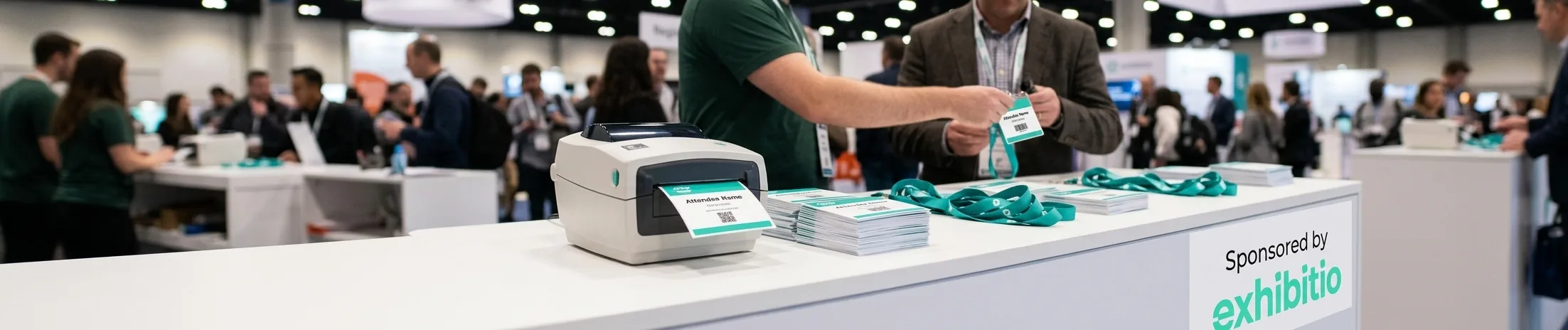
Badges designed once, printed three thousand times.
Part of every Crowd event, printed from the same desk that runs your registration.